
Matomo
Full-featured, open-source web analytics from New Zealand
An open-source match for Google Analytics, with ecommerce, funnels, heatmaps and A/B tests, in the cloud or on your own server. It takes time to learn, the cloud starts at $26 a month, and it sets cookies until you switch them off.
- From $26 a month
- Open source
- Self-hosting
- Heatmaps and A/B tests
We make WireBoard, one of the tools we review. It is scored on the same criteria as every other tool. How we review
Who it suits
A good fit if
- You want the depth of Google Analytics (ecommerce, segments, custom reports) without Google.
- You need to host the data on your own servers, or keep it in the EU.
- You want heatmaps, recordings and A/B tests in the same tool as your traffic.
Look elsewhere if
- You want one page you can read in a minute.
- You have a small budget for the cloud: it starts at $26 a month for 50,000 hits.
- You want no cookies without touching any settings.
Scores
Above average on real-time data, features and reporting. Below average on pricing and ease of use.
- Matomo
- Average of the 18 tools we reviewed
Every tool is scored from 0 to 5 on the same seven criteria, and the overall score is their average. How we score
Why these scores
- Real-time data4.5, average 3.2
- The real-time visits report and map refresh every 5 seconds with pages and sources, but cloud reports for today update every 6 hours.
- Features5.0, average 4.1
- Events, goals, ecommerce, funnels, cohorts, heatmaps, A/B tests, a tag manager and an API, all in the cloud plan.
- Reporting5.0, average 4.1
- Segments on every report, custom reports, scheduled email reports, exports, an API and a paid data warehouse connector.
- Privacy3.5, average 3.2
- Open source, self-hostable and hosted in Frankfurt on the cloud, but first-party cookies stay on until you switch them off.
- Design3.5, average 3.9
- Widget dashboards you can rearrange, and a new theme with dark mode since May 2026. Many reports are still dense tables.
- Pricing3.0, average 3.6
- Self-hosting is free, but the cloud starts at $26 a month for 50,000 hits.
- Ease of use3.0, average 3.8
- Cloud setup is one script tag, but dozens of reports and settings take real learning, and self-hosting needs a server.
Key facts
Open source, self-hostable, and hosted in Germany on the cloud. The catch: cookies stay on until you switch them off.
- Price
- Cloud from $26 a month for 50,000 hits (€22 in the euro zone)
- Free plan
- None on the cloud. The self-hosted On-Premise edition is free
- Free trial
- 21 days on the cloud, no card
- Cookies
- First-party cookies by default (a visitor ID kept 13 months). Cookieless mode is optional
- Open source
- Yes, GPL v3 or later
- Self-hosting
- Yes, free. Premium features are paid plugins
- Data stored in
- Cloud: Frankfurt, Germany, with backups in Dublin. Self-hosted: wherever you choose
- Company based in
- New Zealand
- Live view
- Real-time visits report and map refreshing every 5 seconds
- Data kept for
- Cloud: raw data 24 months, reports forever, heatmaps and recordings 3 months
- Heatmaps and recordings
- Cloud: 1,500 heatmap pageviews and 150 recordings a month on the entry plan
- Billing
- Monthly, or yearly with 2 months free. Counts hits, not only pageviews
From Matomo’s own site, checked on .
Pricing
Self-hosting is free. The cloud starts at $26 a month for 50,000 hits, with the premium features included.
$26a month to start on the cloud, for 50,000 hits on up to 30 sites
| Hits a month | Relative price | Monthly | Yearly |
|---|---|---|---|
| 50k | $26 | $260 | |
| 100k | $42 | $420 | |
| 300k | $85 | $850 | |
| 600k | $139 | $1,390 | |
| 1M | $204 | $2,040 | |
| 2M | $399 | $3,990 | |
| 5M | $975 | $9,750 |
Prices exclude tax. Yearly billing costs ten months for twelve. A hit is any tracked pageview, event, download, outlink, site search or content interaction, and on the cloud each request from an AI assistant counts too. Above 5 million hits, Matomo publishes no price and quotes one. Self-hosting is free.
Compare Matomo’s prices with other tools on compare-analytics.com (opens in a new tab)
Our review
What you get
Of the open-source tools we review, Matomo (called Piwik until 2018) comes closest to Google Analytics. Besides visitors, pages and sources, it tracks events, goals, ecommerce orders, site search, downloads, outlinks, media plays and content interactions, and keeps a log of every visit with a profile per visitor. Segments work on every report, and the Transitions and Overlay reports show where people go from any page. Recent versions add reports on visits from AI chatbots.
The cloud plan also includes funnels, user flows, custom reports, form analytics, cohorts, A/B testing, heatmaps and session recordings, multi-channel attribution, a tag manager and an importer for Google Analytics data. Heatmaps and recordings come with monthly quotas: 1,500 heatmap pageviews and 150 recordings on the 50,000-hit plan, rising to 50,000 and 5,000 on the largest ones.
Matomo comes in two forms. Matomo Cloud is hosted in Frankfurt by InnoCraft, the New Zealand company behind the project. The On-Premise edition is free software under the GPL v3 or later, which you install on your own server, with the premium features sold as plugins.
Who it is for
Matomo suits organisations that want the depth of Google Analytics without sending data to Google: public bodies, universities, health and finance sites, larger shops and agencies. It also suits anyone who must keep data on their own servers, or who wants heatmaps, recordings and A/B tests in the same tool as their traffic.
It is a heavy tool for a small site. If you want one page you can read in a minute, or no cookies without touching any settings, a simpler tool will serve you better. Self-hosting is free, but someone has to run the server, update Matomo and keep the report processing going.
Setting it up
On Matomo Cloud you start a 21-day trial without a card, add your site and pick one of four routes: a ready-made integration for WordPress, Shopify, Wix, Webflow, Squarespace, Drupal and others; Matomo Tag Manager, which gets a container for every new site; the JavaScript tracking code; or SDKs for mobile apps. Matomo puts a beginner's setup at 5 to 15 minutes. Google Tag Manager works through a template for Matomo Cloud or a Custom HTML tag, and server logs can be imported with a Python script.
Self-hosting takes longer. You need a PHP server with MySQL or MariaDB: Matomo recommends 2 CPUs and 2 GB of memory up to 100,000 pageviews a month, and a separate database server above 1 million. Matomo for WordPress is the shortcut, storing data in your WordPress database, though Matomo does not recommend it for busy sites. Matomo 6, in beta since September 2026, will need PHP 8.1 and MySQL 8.0 or MariaDB 10.6, and builds in the spam and bot filtering that used to be a separate plugin.
The Google Analytics importer is installed by default on the cloud and free to add on your own server. It reads GA4 properties, and each one becomes a new website in Matomo: it cannot be merged into a site you already track. Matomo says an import takes several days because of Google's API limits, and only aggregated reports come across, so the visits log, segments and custom reports do not work on imported data.
Your own visit shows in the real-time report within seconds. Standard reports default to yesterday, so the first full day of figures appears the next morning.
Reports and dashboards
The default dashboard is made of widgets you can add, move and remove, and an all-websites view sums every site. From there, the menu leads to dozens of reports on visitors, behaviour, acquisition, ecommerce and goals. Every report can be segmented: the Business cloud plan allows 100 segments, 150 goals and 100 custom reports. Row evolution charts any line over time, and annotations mark events such as a launch.
Funnels show where people drop out between steps, user flows show the paths they take, and form analytics shows which fields they hesitate over. Cohorts follow groups of visitors over time.
The real-time visits report and the visitor map refresh every 5 seconds, with each visitor's pages, source, country and goals. Standard reports lag more: on Matomo Cloud, today's reports update every 6 hours, and completed days start processing 1 to 2 hours after the day ends. Self-hosted, reports are processed every 15 minutes by default.
Reports export to CSV, TSV, XML, JSON, HTML and RSS, and the API returns the same formats. Scheduled reports go out daily, weekly or monthly, as HTML, PDF or CSV, by email or to Slack. Custom alerts warn you when a figure moves. A Looker Studio connector is free, and a data warehouse connector costs 10% extra on the cloud. An AI chat called Ask Matomo is due in the second half of October 2026.
Privacy and your data
Out of the box, Matomo sets first-party cookies: _pk_id holds a visitor ID for 13 months, _pk_ses lasts 30 minutes and _pk_ref keeps the referrer for 6 months. It also stores a log of each visit. That usually means a consent banner in the EU. You can switch cookies off for one site in the tracking code, or for all of them with the "Force tracking without cookies" setting. Matomo warns that a banner may still be needed where the law asks for consent anyway, and its consent functions work with Cookiebot, CookieYes, Complianz and other banners.
IP addresses are masked by default (the last 2 bytes), and you can mask more. Raw visit data can be deleted after a period you choose.
Matomo Cloud stores data in Frankfurt, Germany, on Amazon Web Services, with backups in Dublin. Its pricing page says Matomo is ISO 27001 certified. The cloud keeps raw data for 24 months, reports forever, and heatmaps and recordings for 3 months. Self-hosted, every byte stays on your server for as long as you want.
Pricing in practice
The cloud counts hits, not pageviews: a hit is any tracked pageview, event, download, outlink, site search or content interaction, and on the cloud each request from an AI assistant counts too. Matomo reckons on 10 to 20% more hits than pageviews. Prices exclude tax, and yearly billing gives two months free.
A small blog with 20,000 pageviews a month fits the 50,000-hit Business plan, at $26 a month or $260 a year (€22 a month in the euro zone). Self-hosting would cost nothing but a small server and your time.
A growing shop with 150,000 pageviews and its ecommerce events, around 250,000 hits, needs the 300,000-hit plan: $85 a month or $850 a year, with 5,000 heatmap pageviews and 500 recordings a month.
An agency with 40 sites outgrows Business, which covers 30 sites and 30 users, so it needs Enterprise, priced on request. Self-hosting is the other route: unlimited sites, and the Team bundle of premium plugins at €275 a month, or €230 a month billed yearly, for up to 4 users.
Go over your hits and Matomo charges overage, which its pricing page works out at about 10% of the plan price for each extra 10% of hits, and it suggests an upgrade when that costs less. Matomo publishes prices up to 5 million hits and quotes anything larger. Our pricing comparison shows how this stacks up.
Alternatives to Matomo
WireBoard (made by us) fits if what you want most is live traffic and dashboards you arrange yourself: its widgets update within seconds, a free plan covers 50,000 pageviews a month on 2 sites, and $9 a month buys 100,000 pageviews on 50 sites. It sets cookies by default, with an optional cookieless mode.
Umami is open source and cookieless, with a free cloud plan that includes funnels and retention, and free self-hosting with heatmaps and replays.
Plausible is simpler: one page of essentials, no cookies, EU hosting and open source, from $9 a month.
Google Analytics is free and goes as deep, but keeps your data on Google's servers and takes a day or two to process it.
Our open-source shortlist has more tools you can host yourself.
Where it falls short
Matomo's breadth has a cost. There are dozens of reports and settings, and a newcomer needs time to find their way. The interface got a new theme and a dark mode in May 2026, but many reports are still dense tables.
The cloud is not cheap: $26 a month for 50,000 hits, where Plausible charges $9 for 10,000 pageviews and Umami's cloud has a free plan. Hits include events, so a busy setup costs more than its pageviews suggest. Self-hosting is free but means running and updating a server, and the premium plugins cost extra.
Privacy depends on your settings: cookies stay on until you turn them off. Imported Google Analytics data lands in a separate site, with aggregated reports only. And on the cloud, today's reports trail by up to 6 hours, so outside the real-time view you are looking at older numbers.
How it compares
Plausible and Umami are simpler and cookieless by default, and Umami's cloud has a free plan. Google Analytics costs nothing but keeps your data on Google's servers.
- Free plan
- Up to 50k pageviews
- Cookieless
- Optional
- Open source
- No
- EU hosting
- Yes
- Free plan
- Up to 100k events
- Cookieless
- Yes
- Open source
- Yes
- EU hosting
- Your choice
- Free plan
- Self-hosted only
- Cookieless
- Yes
- Open source
- Yes
- EU hosting
- Yes
Matomo (this review)
Starts at $26 a month
3.9out of 5
- Free plan
- Self-hosted only
- Cookieless
- Optional
- Open source
- Yes
- EU hosting
- Yes
- Free plan
- Yes
- Cookieless
- No
- Open source
- No
- EU hosting
- No
- Free plan
- Up to 200k sessions
- Cookieless
- Optional
- Open source
- No
- EU hosting
- Yes
- Free plan
- No
- Cookieless
- No
- Open source
- No
- EU hosting
- No





Made by us

WireBoard
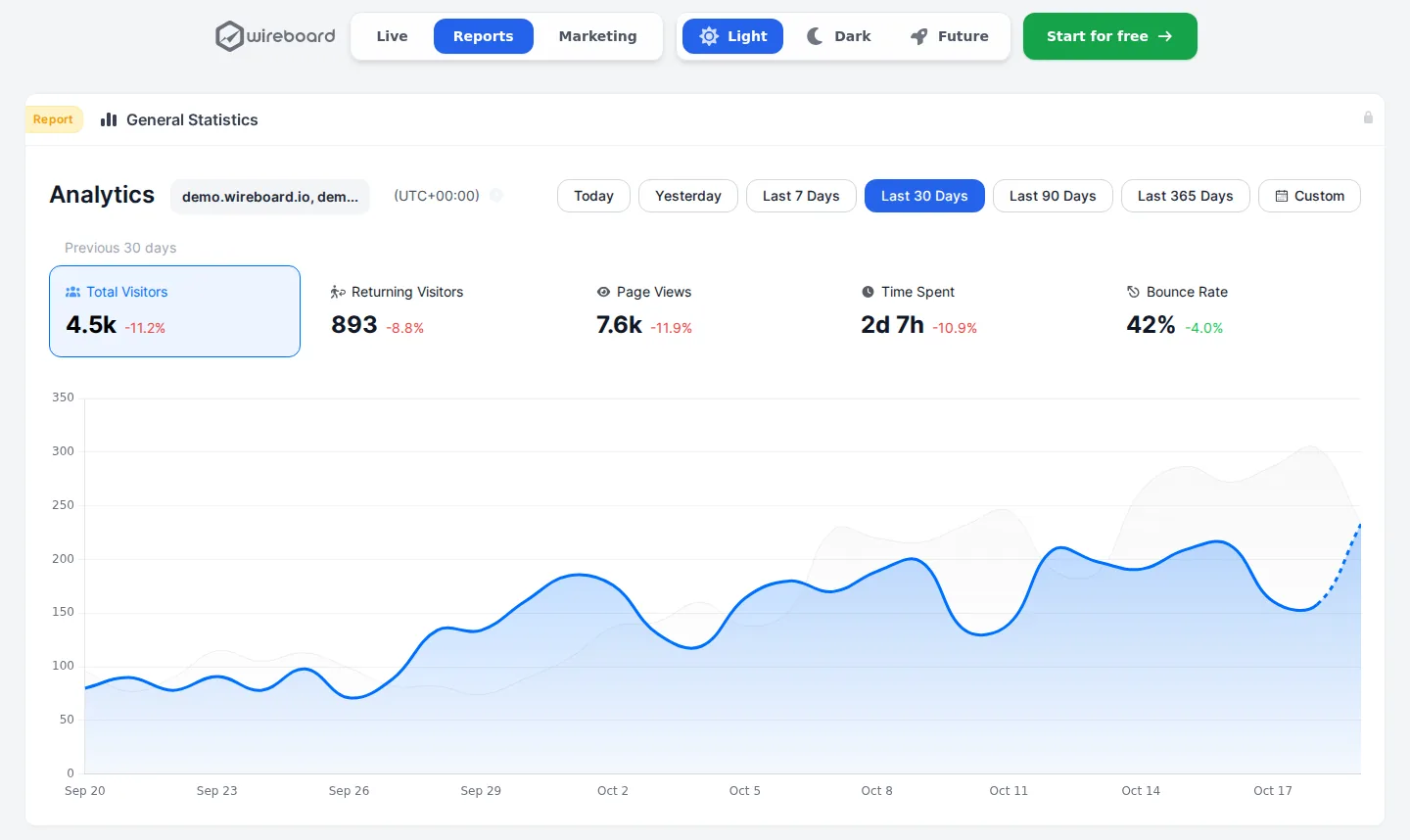
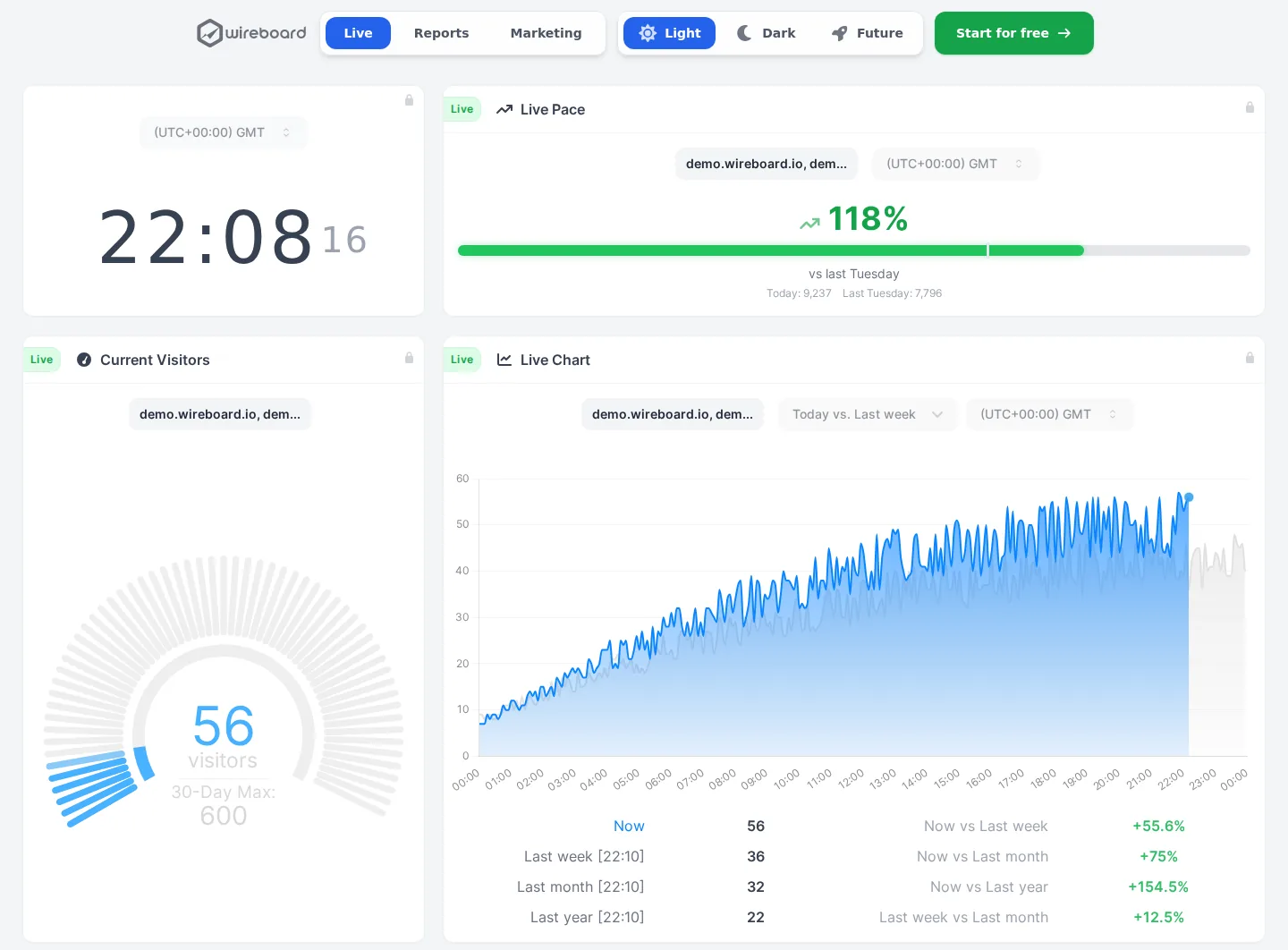
See your traffic as it happens, on live dashboards you build yourself. Nearly every feature is on the free plan.
- Visitors, sources and events streamed live
- Several sites in one view, on 60+ widgets
- Events, goals, funnels and revenue on every plan
- Free for 2 sites, $9 a month for 50
- Data processed in Germany and Finland
Questions
Does Matomo need a cookie banner?
By default Matomo sets first-party cookies, including a visitor ID kept for 13 months, so in the EU you would normally ask for consent. You can disable cookies for one site in the tracking code, or for all sites with one setting, and IP addresses are masked by default. Whether your site needs a banner also depends on everything else it loads, and on the law where you operate.
Is Matomo free?
The self-hosted On-Premise edition is free, with unlimited users and hits, but you need a server with PHP and MySQL or MariaDB. Funnels, heatmaps and custom reports are paid plugins there. The cloud has a 21-day trial without a card, then starts at $26 a month for 50,000 hits.
Can I import Google Analytics data into Matomo?
Yes. The importer is included on Matomo Cloud and is a free plugin for self-hosted Matomo, and it reads GA4 properties. Each imported property becomes a new website in Matomo, separate from the one you track now. Only aggregated reports come across, so the visits log and segments do not work on that history, and Matomo says an import takes several days.
Matomo Cloud or self-hosted?
The cloud handles hosting, updates and backups, includes the premium features with monthly quotas, and costs from $26 a month. Self-hosting is free and keeps every byte on your server, but you run it yourself, and the premium plugin bundles start at €275 a month, or €230 a month billed yearly, for up to 4 users.
Where is Matomo's data stored?
On Matomo Cloud, in Frankfurt, Germany, on Amazon Web Services, with backups in Dublin, Ireland. The company behind the cloud, InnoCraft, is based in Wellington, New Zealand. If you host Matomo yourself, the data stays on whatever server you choose, and you decide how long raw visit data is kept.
Matomo or Google Analytics?
Both cover events, goals, ecommerce, funnels and segments, and both set cookies by default. Google Analytics is free but keeps data on Google's servers, takes 24 to 48 hours to process it and keeps explorations for 2 or 14 months. Matomo costs from $26 a month on the cloud, or nothing self-hosted, keeps reports forever and can import your GA4 history.
Does Matomo have heatmaps and session recordings?
Yes. On Matomo Cloud they are included with monthly quotas, from 1,500 heatmap pageviews and 150 recordings on the 50,000-hit plan, and the cloud keeps them for 3 months. Self-hosted, they come with the Heatmap and Session Recording plugin, at €219 a year for up to 4 users, or in the premium plugin bundles.
Is Matomo real time?
Partly. The real-time visits report and the visitor map refresh every 5 seconds, but other reports lag. On Matomo Cloud, today's figures update every 6 hours, this week and this month every 12 hours, and completed days start processing 1 to 2 hours after the day ends. Self-hosted, Matomo processes reports every 15 minutes by default.
About this review
First published on . Facts and prices checked on against Matomo’s own site.
Analytics Alternative is run by SwissOps, which also makes WireBoard, one of the tools on this site. WireBoard is scored on the same seven criteria as every other tool. How we review
Where the facts come from:
- matomo.org/pricing
- matomo.org/faq/general/faq_146
- matomo.org/faq/general/faq_157
- matomo.org/faq/reports/the-visits-in-real-time-widget
- matomo.org/faq/general/faq_41
- matomo.org/faq/on-premise/matomo-requirements
- matomo.org/changelog/matomo-5-10-0
- matomo.org/changelog/matomo-6-0-0-beta
- matomo.org/start-free-analytics-trial
- matomo.org/faq/general/what-is-a-hit
- matomo.org/faq/general/configure-privacy-settings-in-matomo
- matomo.org/faq/heatmap-session-recording/how-long-can-i-keep-heatmaps-and-session-recordings
- matomo.org/guide/manage-matomo/email-reports
- plugins.matomo.org/GoogleAnalyticsImporter
Spotted something out of date? Tell us.