
Umami
Open-source, cookieless web and product analytics from the US
A clean, cookieless dashboard with funnels, retention and revenue reports on its free plan, and open-source code you can host yourself. Replays and heatmaps cost $200 a month on the cloud, and the live view refreshes every 10 seconds.
- Free up to 100k events
- No cookies
- Open source
- US or EU hosting
We make WireBoard, one of the tools we review. It is scored on the same criteria as every other tool. How we review
Who it suits
A good fit if
- You want a simple, cookieless dashboard without paying.
- You want funnels, journeys and retention on a free plan.
- You want open-source code you can run on your own server.
Look elsewhere if
- You need heatmaps or session replays on a budget: on the cloud they come with the $200 Business plan.
- You watch traffic as it happens: the realtime page refreshes every 10 seconds and covers the last 30 minutes.
- You want years of history for free: the Hobby plan keeps 6 months.
Scores
Above average on pricing, privacy, real-time data, ease of use and design.
- Umami
- Average of the 18 tools we reviewed
Every tool is scored from 0 to 5 on the same seven criteria, and the overall score is their average. How we score
Why these scores
- Pricing5.0, average 3.6
- A free cloud plan for 100,000 events on one site, and free self-hosting with nearly every feature.
- Privacy4.5, average 3.2
- No cookies, open source, self-hostable or hosted in the EU if you pick it. The visitor hash resets monthly, not daily.
- Real-time data4.0, average 3.2
- A realtime page with pages, referrers and events that refreshes every 10 seconds.
- Ease of use4.5, average 3.8
- One script tag and a clear overview. Funnels, cohorts and the other reports take a little exploring.
- Design4.5, average 3.9
- Clean and fast, with light and dark themes. Boards add custom layouts, from 15 components.
- Features4.5, average 4.1
- Events, goals, funnels, journeys, retention, cohorts and revenue on every plan. The cloud API needs Pro, replays and heatmaps need Business.
- Reporting4.0, average 4.1
- Filters and saved segments on every report, period comparisons, boards and exports. Email reports need Pro, and nothing exports on a schedule.
Key facts
No cookies, open source, and a free cloud plan. The catch: replays, heatmaps and long history cost more.
- Price
- Free for 100,000 events on 1 site. Pro from $20 a month
- Free plan
- 100,000 events a month on 1 website, 6 months of data
- Free trial
- 14 days on Pro and Business, then billed unless you cancel
- Cookies
- None: the tracking code sets no cookies
- Open source
- Yes, MIT
- Self-hosting
- Yes, free, with Node.js and PostgreSQL
- Data stored in
- The US or the EU, picked at signup
- Company based in
- United States
- Live view
- Realtime page refreshing every 10 seconds, last 30 minutes
- Data kept for
- 6 months on Hobby, 2 years on Pro, 5 years on Business
- Replays and heatmaps
- Business plan ($200 a month, 5,000 replays included), or self-hosted
- Billing
- Monthly. Events above the plan are billed per event
From Umami’s own site, checked on .
Pricing
Free for 100,000 events on one site. Pro, at $20 a month, covers 1 million events on 20 sites.
Freefor 100,000 events a month on one website
Hobby
100,000 events a month, 1 website, 6 months of data
Free
Pro
1 million events, then $30 per extra million. 20 websites, 10 team members, API, MCP, email reports and data import
$20 a month
Business
10 million events, then $20 per extra million. Unlimited websites, heatmaps, and replays (5,000 included, then $0.005 each)
$200 a month
Enterprise
Single sign-on, an uptime SLA, custom data retention
On request
The pricing page lists monthly billing only. Every pageview and custom event counts as one event, and so does each event property you save. On monthly plans you can set a spending budget, above which recording stops until the next period. Self-hosting is free.
Compare Umami’s prices with other tools on compare-analytics.com (opens in a new tab)
Our review
What you get
Umami began as a simple, cookieless alternative to Google Analytics and now calls itself web and product analytics. The overview shows visitors, visits, views, bounce rate and visit time, with sources, pages, countries and devices below, and a filter panel that narrows every report.
The free plan covers far more than traffic counts. It includes custom events with properties, goals, funnels, user journeys, retention, saved segments and cohorts, revenue and attribution reports, period comparisons and a realtime page. A performance report collects Core Web Vitals (LCP, INP, CLS, FCP and TTFB) from real visitors. Boards, added in April 2026, let you lay out your own dashboards and mix several websites on one screen. Session replays (April 2026) and click and scroll heatmaps (June 2026) are newer; on the cloud they need the Business plan.
A few extras go beyond the website itself. Short links record clicks on campaign URLs, and tracking pixels count views in emails or on pages where JavaScript cannot run. If your visitors log in, you can attach your own user ID to join their sessions across devices. An official MCP server lets assistants such as Claude or ChatGPT query your numbers, on Pro and above or self-hosted from version 3.4.
Who it is for
Umami suits developers, start-ups and small product teams who want funnels, retention and revenue without paying for them, and who like open-source code they can read or run. A SaaS product can follow sign-ups through a funnel, a shop can see revenue by channel, and a blog gets a clean overview, all on the free plan.
It also suits anyone who wants to own the whole stack. The MIT licence lets you run it on your own server at no cost, and the docs cover a long list of hosts, from Docker on a small server to platforms such as Vercel, Railway and DigitalOcean.
Look elsewhere if you watch traffic as it happens, since the realtime page refreshes every 10 seconds. The same applies if you need replays and heatmaps on a budget without running a server, or if you want to bring your Google Analytics history across in a few clicks.
Setting it up
On the cloud you sign up, pick a US or EU data region, add your site and paste one script tag. The script is under 3 KB compressed, and single-page apps are tracked without extra code. Google Tag Manager works through a custom HTML tag, because GTM strips the data attributes the normal tag uses. Events take an HTML attribute on a button or a call to umami.track(). Replays and heatmaps need a second recorder script, and Core Web Vitals need one extra attribute on the main script.
Self-hosting takes longer. You need Node.js and a PostgreSQL database, version 12.14 or later, or the official Docker image, and you handle updates yourself.
There is no Google Analytics import. On Pro and above, Umami's team will import data from a self-hosted Umami database or from CSV exports, which you request by email. The first useful report is the overview itself, which needs no training; funnels, cohorts and the other reports take a little exploring.
Reports and dashboards
Day to day, most people stay on the overview and its filters. The insight reports go deeper: funnels with filters on each step, goals with wildcards, journeys, retention, UTM campaigns, revenue with average order value and revenue per user, and attribution. Segments and cohorts save a group of visitors for reuse, and session profiles show each visitor's pages over time. Annotations, added in September 2026, pin notes such as a deploy or a campaign launch to the chart.
Boards are dashboards you design. Each row holds up to 4 columns, and the components cover metrics, charts, tables, a world map, a weekly traffic heatmap, events, a saved goal or funnel, realtime counters, UTM breakdowns, revenue and free text. A mixed board can pull each component from a different website, pixel or link, and any board can be shared through a link.
The realtime page shows pages, referrers and events from the last 30 minutes and refreshes every 10 seconds.
For data outside the dashboard, every plan exports to CSV, one website at a time. The API and the MCP server start on Pro, as do email reports, which send a summary of top stats, pages and referrers at 7 in the morning in your region. Business adds a streaming API and white-labelling. Replays record 15% of sessions by default, mask form inputs and are kept for 30 days.
Privacy and your data
Umami sets no cookies and says it stores no personal data. It recognises a visitor with a hash of the website, the IP address and the browser, plus a salt that changes every month by default. Umami says the IP address is used in that calculation but not stored as a field, and that the identifier is "not a guarantee of absolute anonymity". A self-hosted install can rotate the salt daily or weekly instead.
On the cloud, your data stays in the region you picked, the US or the EU. The cloud keeps 6 months on Hobby, 2 years on Pro and 5 years on Business; a self-hosted install keeps data until you delete it. The code is open under the MIT licence, so you can check exactly what the tracker sends, and replays mask form fields unless you change the setting. Umami says no cookie banner is needed for its tracker; its FAQ adds that this depends on the other services your site uses.
Pricing in practice
Umami Cloud has four plans. Hobby is free for 100,000 events a month on one website. Pro costs $20 a month for 1 million events on up to 20 websites, then $0.00003 per extra event ($30 per million). Business costs $200 a month for 10 million events and unlimited websites, then $0.00002 per extra event, with 5,000 replays included and $0.005 for each one after. Enterprise is priced on request. Pro and Business start with a 14-day trial that bills you at the end unless you cancel.
Every pageview, custom event and saved event property counts as one event, and so does stored session data.
- A small blog with 30,000 pageviews and a few events stays on Hobby, for free.
- A growing shop with 300,000 pageviews and 100,000 cart and checkout events carrying 3 properties each uses about 700,000 events, so Pro at $20 covers it. If traffic doubles to 1.4 million events, the bill becomes $20 plus $12.
- An agency with 35 client sites outgrows Pro's 20 websites and needs Business at $200 a month, or a self-hosted install for nothing but the server.
On Pro and Business, extra events are billed and collection never stops, unless you set a monthly spending budget: then Umami stops recording when the estimated cost passes it. The pricing page lists no extra events on Hobby, so a site that outgrows it moves to Pro. Prices are listed monthly; Umami's docs mention annual plans, with no discount stated. See our pricing comparison for other tools at the same traffic.
Alternatives to Umami
- WireBoard (made by us) fits if live traffic is the point. Its widgets stream within seconds, where Umami refreshes every 10 seconds, and a free plan covers 2 sites, then $9 a month for 100,000 pageviews on 50 sites, with dashboards you build from more than 60 widgets. It sets cookies by default, with an optional cookieless mode.
- Plausible hosts only in the EU and resets its visitor hash every day. It has no free cloud plan and keeps funnels for Business.
- Matomo goes further, with ecommerce reports, A/B tests and heatmaps, from $26 a month on its cloud. Self-hosting is free, with heatmaps and A/B tests as paid plugins. It sets cookies until you switch them off.
- Pirsch is hosted in Germany, starts at $6 a month for up to 50 sites and keeps data with no time limit, but has no free plan.
Our open-source and heatmaps shortlists list more.
Where it falls short
The live view is the weak spot for anyone watching traffic as it happens: the realtime page refreshes every 10 seconds and covers the last 30 minutes.
On the cloud, the free plan covers one website and keeps 6 months of data, with no API and no email reports. Replays and heatmaps jump to $200 a month, and no yearly discount is listed. Event properties count against the quota, so a detailed setup costs more than its traffic suggests. There is no Google Analytics import. Without cookies, a visitor who changes browser or device counts twice, and Umami's docs note that people sharing an office IP address and browser can merge into one. The monthly salt also links a visitor's visits for longer than a daily one would. Self-hosting is free, but you run the server and its updates.
How it compares
Plausible has no free cloud plan and keeps funnels for Business, but hosts only in the EU. Matomo goes further, with A/B tests, from $26 a month.
- Free plan
- Up to 50k pageviews
- Cookieless
- Optional
- Open source
- No
- EU hosting
- Yes
Umami (this review)
Starts at Free
4.4out of 5
- Free plan
- Up to 100k events
- Cookieless
- Yes
- Open source
- Yes
- EU hosting
- Your choice
- Free plan
- No
- Cookieless
- Yes
- Open source
- Partly
- EU hosting
- Yes
- Free plan
- Self-hosted only
- Cookieless
- Yes
- Open source
- Yes
- EU hosting
- Yes
- Free plan
- Self-hosted only
- Cookieless
- Optional
- Open source
- Yes
- EU hosting
- Yes
- Free plan
- 5 sites, 30 days of data
- Cookieless
- Yes
- Open source
- No
- EU hosting
- Yes
- Free plan
- No
- Cookieless
- Yes
- Open source
- No
- EU hosting
- No





Made by us

WireBoard
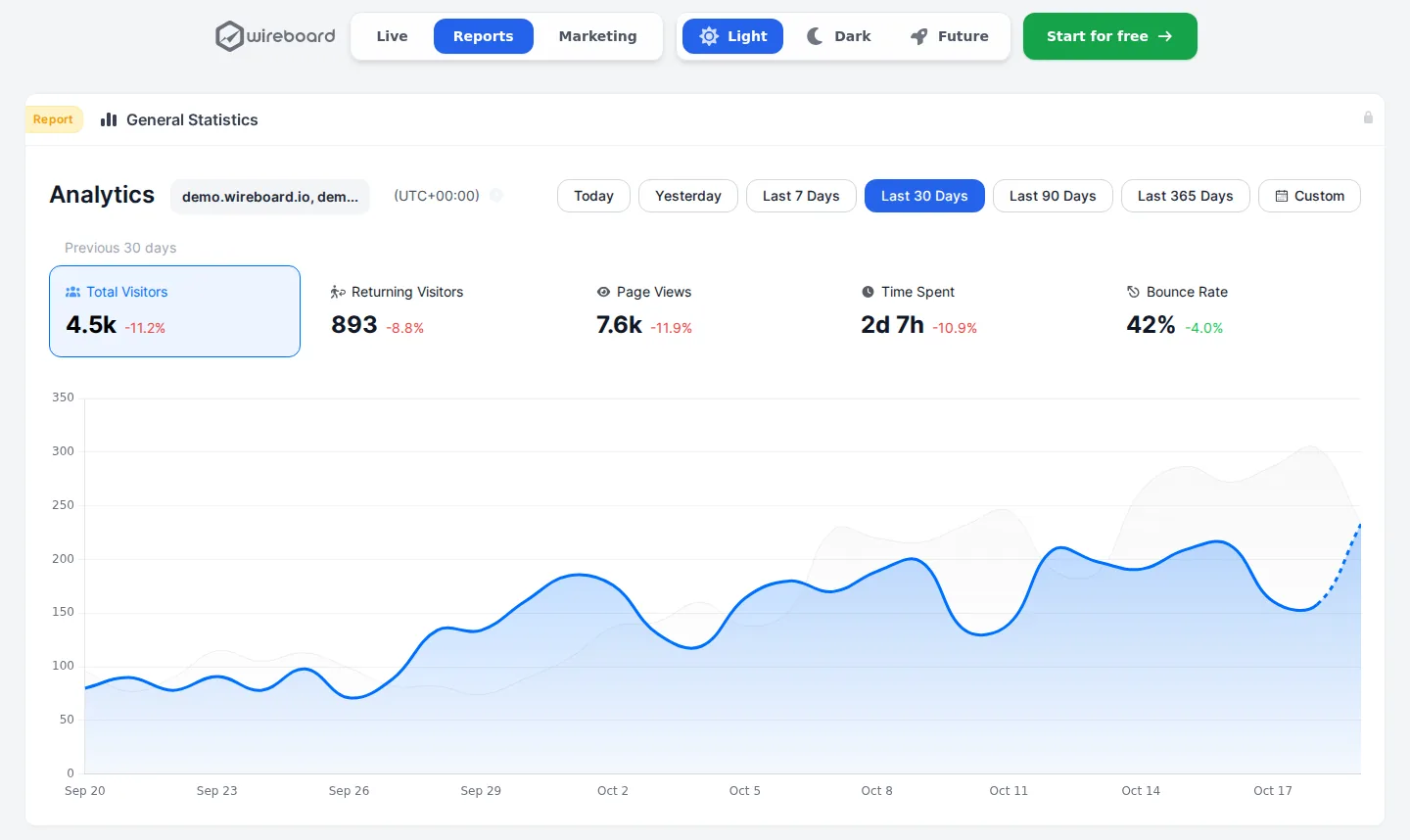
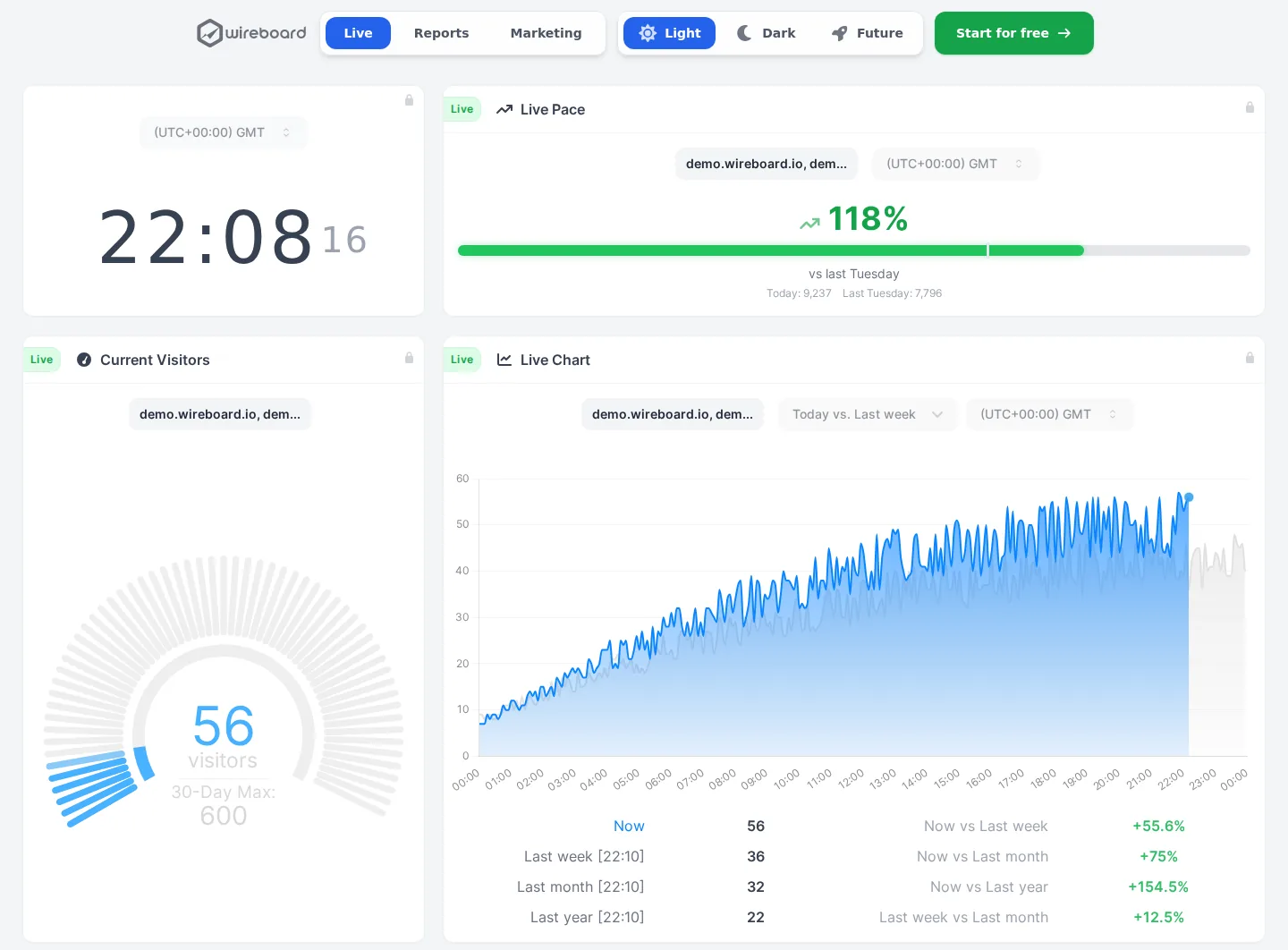
See your traffic as it happens, on live dashboards you build yourself. Nearly every feature is on the free plan.
- Visitors, sources and events streamed live
- Several sites in one view, on 60+ widgets
- Events, goals, funnels and revenue on every plan
- Free for 2 sites, $9 a month for 50
- Data processed in Germany and Finland
Questions
Does Umami need a cookie banner?
Umami sets no cookies and says it collects no personal data, so it is designed to run without a consent banner. It recognises a visitor with a hash of the IP address, the browser and a salt that changes every month. Whether your site needs a banner also depends on everything else it loads, and on the law where you operate.
Is Umami free?
The cloud Hobby plan is free for 100,000 events a month on one website, with 6 months of data and no API or email reports. Self-hosting is free too, with every feature except the cloud's email reports, but you need a server with Node.js and PostgreSQL, or Docker, and you keep it updated yourself.
What counts as an event?
Each pageview and each custom event counts as one event, and each event property you save counts as one more. Session data you store counts as well. A site that sends many properties uses its quota faster than its traffic suggests, so check the usage page in the first weeks.
Can I import Google Analytics data into Umami?
Not directly. Umami documents no Google Analytics import. On Pro and above, its team imports data for you from a self-hosted Umami database or from CSV exports, so you can send it a file built from your old analytics, but there is no ready GA4 connector. Plausible, Fathom and Simple Analytics import GA4 history themselves.
Where is Umami's data stored?
On Umami Cloud, in the US or the EU. You pick the region when you sign up, and your analytics data is stored there. Self-hosted, the data sits wherever you run your PostgreSQL database, which can be your own server. The company behind Umami is based in the US, and its docs do not name the cloud's hosting provider.
Does Umami have session replays and heatmaps?
Yes, since 2026. On the cloud they come with the Business plan at $200 a month, which includes 5,000 replays and then charges $0.005 each. Self-hosted, they cost nothing. Replays need a second recorder script, record 15% of sessions by default, mask form inputs and are kept for 30 days.
How real-time is Umami?
Its realtime page shows pages, referrers and events from the last 30 minutes and refreshes every 10 seconds. Boards can hold realtime components too, and the Business plan adds a streaming API. To watch a launch second by second, a tool that streams each visit as it happens, such as WireBoard, fits better.
Umami or Plausible?
Both are cookieless and open source. Umami has a free cloud plan and funnels on every plan, where Plausible has no free cloud plan and keeps funnels for Business. Plausible hosts only in the EU and resets its visitor hash daily; Umami lets you pick the US or the EU and resets it monthly.
About this review
First published on . Facts and prices checked on against Umami’s own site.
Analytics Alternative is run by SwissOps, which also makes WireBoard, one of the tools on this site. WireBoard is scored on the same seven criteria as every other tool. How we review
Where the facts come from:
- umami.is/pricing
- docs.umami.is/docs/cloud
- docs.umami.is/docs/cloud/faq
- docs.umami.is/docs/cloud/subscription
- docs.umami.is/docs/cloud/import-data
- docs.umami.is/docs/cloud/email-reports
- docs.umami.is/docs/cloud/changelog
- docs.umami.is/docs/faq
- docs.umami.is/docs/sessions
- docs.umami.is/docs/metric-definitions
- docs.umami.is/docs/environment-variables
- docs.umami.is/docs/install
- docs.umami.is/docs/google-tag-manager
- docs.umami.is/docs/design-a-board
- docs.umami.is/docs/replays
- docs.umami.is/docs/heatmaps
- docs.umami.is/docs/performance
- github.com/umami-software/umami
Spotted something out of date? Tell us.