
Overtracking
Simple cookieless analytics with heatmaps, from a small team in Spain
A generous free plan, a live view and cheap heatmaps, with data stored in France. It is a two-person product with thin documentation, no API yet, contradictory legal pages and only 12 months of history.
- Free up to 50,000 pageviews
- Live view
- Hosted in France
- No API yet
We make WireBoard, one of the tools we review. It is scored on the same criteria as every other tool. How we review
Who it suits
A good fit if
- You want a free, simple dashboard for one or several small sites.
- You want heatmaps and Core Web Vitals without paying for a separate tool.
- Your data has to stay in the EU.
Look elsewhere if
- You need more than a year of history: Overtracking says it deletes analytics data after 12 months.
- You need an API, funnels or email reports.
- You need a vendor with clear, consistent privacy documents and a support team behind it.
Scores
Above average on pricing and real-time data. Below average on features and reporting.
- Overtracking
- Average of the 18 tools we reviewed
Every tool is scored from 0 to 5 on the same seven criteria, and the overall score is their average. How we score
Why these scores
- Pricing5.0, average 3.6
- Free up to 50,000 pageviews a month on unlimited sites, then from €6.95 a month.
- Real-time data4.5, average 3.2
- A live view of visitors, pages, sources and countries that Overtracking says updates every few seconds.
- Privacy3.5, average 3.2
- No cookies in its tracking script and servers in France, but the code is closed and its privacy policy says otherwise.
- Ease of use4.0, average 3.8
- One script, a visual goal builder and plugins for WooCommerce and PrestaShop. The help center is thin.
- Design3.5, average 3.9
- A clean page of totals, a chart and top lists, with nothing to customise.
- Features3.0, average 4.1
- Pages, sources, UTM campaigns and goals with values, plus heatmaps, Core Web Vitals and error tracking on paid plans. No API yet.
- Reporting3.0, average 4.1
- Clear standard reports with period comparison and CSV or PDF export, but no email reports and no API.
Key facts
No cookies in its script and servers in France. The weak points: closed source, contradictory legal pages and 12 months of history.
- Price
- Free up to 50,000 pageviews a month, then from €6.95 a month
- Free plan
- 50,000 pageviews a month on unlimited sites, without heatmaps
- Free trial
- Not needed for the free plan. Sign-up also offers 7 days of the paid features, no card
- Cookies
- None in its tracking script, though its privacy policy says otherwise
- Open source
- No
- Self-hosting
- No, cloud only
- Data stored in
- France: OVH servers, with backups in the EU
- Company based in
- Spain
- Live view
- Visitors, pages and sources, updating every few seconds
- Heatmaps
- Click heatmaps on paid plans, from €6.95 a month
- Data kept for
- 12 months, according to its help center
- Billing
- Monthly, or yearly for a little under ten months' price
From Overtracking’s own site, checked on .
Pricing
Free covers 50,000 pageviews a month on as many sites as you like. Heatmaps start at €6.95 a month.
Freefor up to 50,000 pageviews a month on unlimited sites. Paid plans start at €6.95 a month.
Free
Up to 50,000 pageviews a month, goals and the live view. No heatmaps, Core Web Vitals or error tracking
Free
Plus
Up to 100,000 pageviews a month, with heatmaps, Core Web Vitals and error tracking
€6.95 a month
Advanced
Up to 300,000 pageviews a month
€12.95 a month
Growth
Up to 1 million pageviews a month
€19.95 a month
Business (5M)
Up to 5 million pageviews a month
€49.95 a month
Business (10M)
Up to 10 million pageviews a month. Above that, Overtracking quotes a price
€99.95 a month
Every plan covers unlimited websites. Yearly billing costs €67.50, €124.50, €192.50, €480.50 and €960.50, a little under ten months' price. Overtracking's terms say prices include VAT at 21%.
Our review
What you get
Overtracking is a hosted analytics dashboard from a small company in Madrid. It covers the traffic basics and adds a goal builder that needs no code. Its homepage sums up the pitch as "no cookies, no banners, 100% privacy-friendly" and says more than 3,000 websites use it.
The main dashboard shows unique visitors, sessions, pageviews, pages per visit, bounce rate and visit duration over a chart. Below it, the help center lists pages, sources, countries, operating systems, devices, browsers, browser languages, screen resolutions, UTM campaigns and goals. A real-time page shows who is on the site now, and a Sessions report lists recent visits one by one.
Paid plans add three tools that most simple analytics products leave to other services: click heatmaps on the pages you pick, Core Web Vitals by country, device and page, and a list of 404 and 500 errors with the page, country and device behind each one. An API is on the pricing table, marked "coming soon".
Who it is for
Overtracking suits small sites that want more than a visitor count without paying for it: blogs, local businesses, portfolios and small online shops. Because the free plan covers unlimited websites, a freelancer can put every small client site on one free account, as long as the total stays under 50,000 pageviews a month. Owners who care about SEO get Core Web Vitals and 404 logs next to their traffic, which can save a separate monitoring tool.
Look elsewhere if you need an API, funnels, segments or email reports, or more than a year of history. Shopify stores are also out of luck: the homepage names Shopify among the shops it serves, but the only store integrations are for WooCommerce and PrestaShop. And a company with a data protection officer will want clearer legal documents than Overtracking has today (more on that below).
Setting it up
You sign up with an email address or a Google account, confirm by email, and add a website with "New Website". Overtracking then asks which options to track and recommends switching all of them on. The tracking code sits under Settings > General and goes right before the closing head tag. The homepage promises results "in less than 5 minutes", which matches the steps.
The main script weighs about 19 KB before compression, more than the lightest cookieless tools. Paid features load more on top: a Core Web Vitals script, and a page-capture library of about 140 KB when a heatmap needs a snapshot of the page.
WordPress sites can use the Overtracking plugin, which installs the tracking code once you enter your account's code. It is a zip file from Overtracking's own server, not a listing in the WordPress plugin directory. The same plugin connects WooCommerce: you create a goal in Overtracking for each store event you want, then switch the event on in the plugin. Nine events are available, from viewing a product and adding to cart to starting checkout and completing an order. A PrestaShop module works the same way. Both are marked beta.
There is no Google Tag Manager guide and no import from Google Analytics or any other tool, so your history starts on the day you install the script.
Reports and dashboards
Day to day, you look at one dashboard per site. You can change the period and compare it with another one, and download what you see as a CSV or PDF file. Overtracking's feature pages mention filters by country, device and browser, but the help center does not describe them.
The real-time page shows how many people are on the site by device type, a bar chart of visitors per minute over the last hour, and the pages, sources, countries, browsers and operating systems in use right now. The help center says it "updates automatically every few seconds", and the free plan includes it.
Goals are the strongest part. You can define one by URL, build one visually by pointing at links, buttons or forms, or fire one from your own JavaScript. Each goal shows total events, unique events and a money value, and every plan allows unlimited goals. The help center gives no reference for the JavaScript method, so developers are on their own there.
The Sessions report is a table of visits with their country, city, date, operating system, device, browser and last activity. It is not a replay.
Heatmaps are switched on in the site settings, then added page by page by entering a path. Its heatmap page promises mouse movement and scroll data, but the tracking script we inspected only sends click positions, so treat them as click maps.
Core Web Vitals appear as a daily chart of TTFB, LCP, FCP, INP, CLS and TBT, plus FID, a metric Google replaced with INP in 2024. The error report charts 4xx and 5xx responses and lists each broken link with its code, country, device and time.
Missing altogether: email reports, funnels, segments, shared or public dashboards, and the API.
Privacy and your data
Overtracking says it "does not use cookies of any kind" and needs no cookie banner. The tracking script on its own site set no cookies when we checked in October 2026, and it sends no visitor ID. The Core Web Vitals script does keep a counter in the browser's local storage. Overtracking does not explain how it counts unique visitors without an identifier.
The legal pages tell a different story. The privacy policy, last updated in June 2023, says "By default, we use our own cookies for the operation of the web analytics tool", and lists session recording among the data it collects. The terms describe tracking "with and without cookies". The policy says IP addresses are anonymised so that "they cannot be linked to individual users", without saying how. For heatmap snapshots, the script masks every form field.
According to its privacy policy, data is stored on OVH Cloud servers in France, with backups at Backblaze in the EU, and "exclusively on servers located within the European Union". When we checked, the address the tracking script sends its data to was on a network registered to Cubepath Inc., a hosting company the policy does not name. The company behind the product is Fueled by Smart Work SL, in Madrid. The code is closed and cannot be self-hosted.
Pricing in practice
The price depends only on monthly pageviews, and every plan covers unlimited websites. Overtracking's terms say prices include VAT at 21%.
A small blog with 20,000 pageviews a month pays nothing. If it wants heatmaps and Core Web Vitals, Plus costs €6.95 a month for up to 100,000 pageviews, or €67.50 a year.
A growing shop with 250,000 pageviews a month needs Advanced, at €12.95 a month or €124.50 a year. Past 300,000 it moves to Growth, at €19.95 a month or €192.50 a year for up to 1 million.
An agency with 40 client sites and 3 million pageviews between them fits on one Business plan, at €49.95 a month or €480.50 a year for up to 5 million. That is cheap per site, but there are no email reports and no white label, so clients either log in as collaborators or get a PDF from you.
Yearly billing costs a little under ten months' price, about 20% off. Above 10 million pageviews, Overtracking asks you to get in touch. Nothing on the site says what happens when you pass your plan's limit: the terms only reserve the right to "contact the customer to define the conditions of use". Our pricing comparison sets these prices against every other tool.
Alternatives to Overtracking
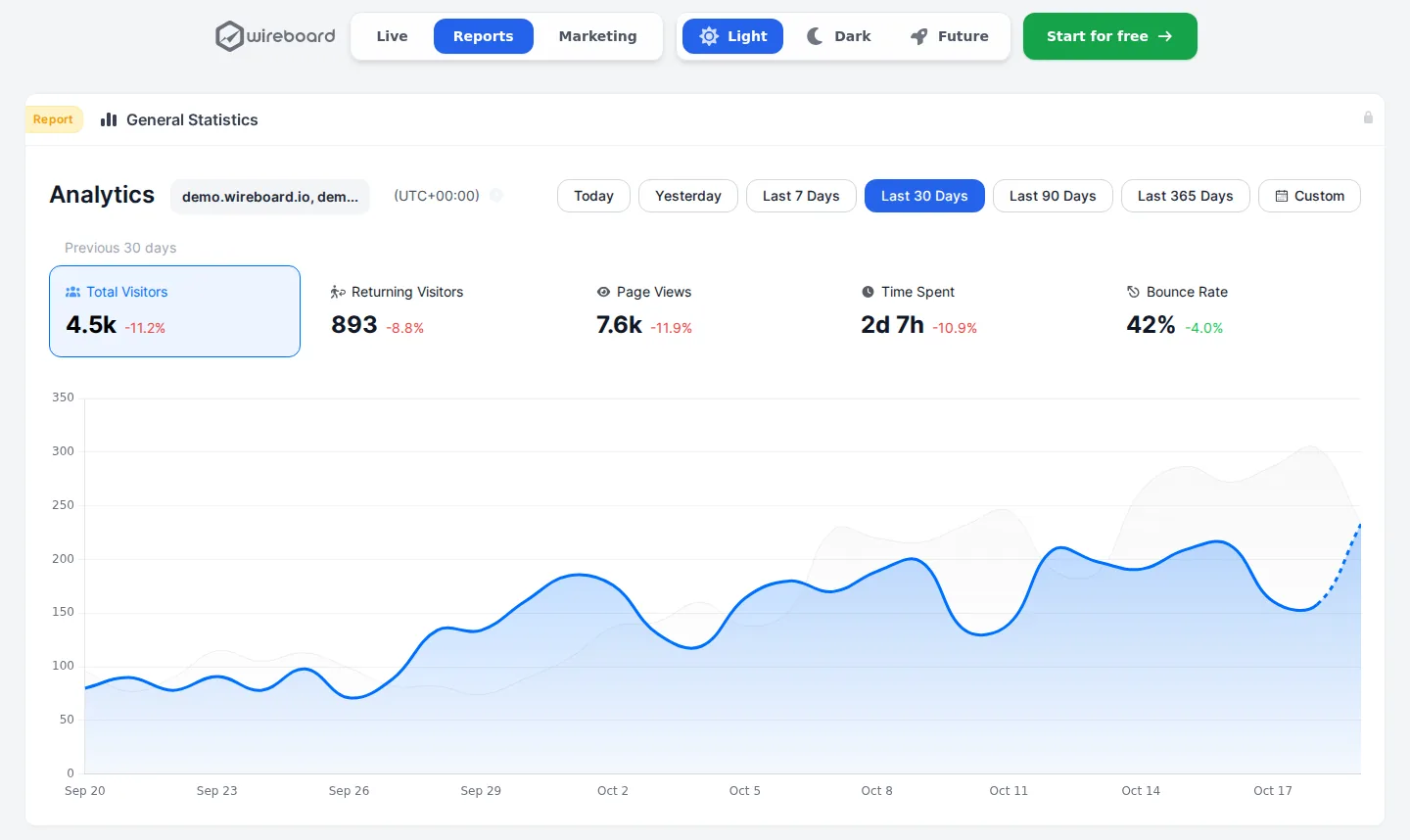
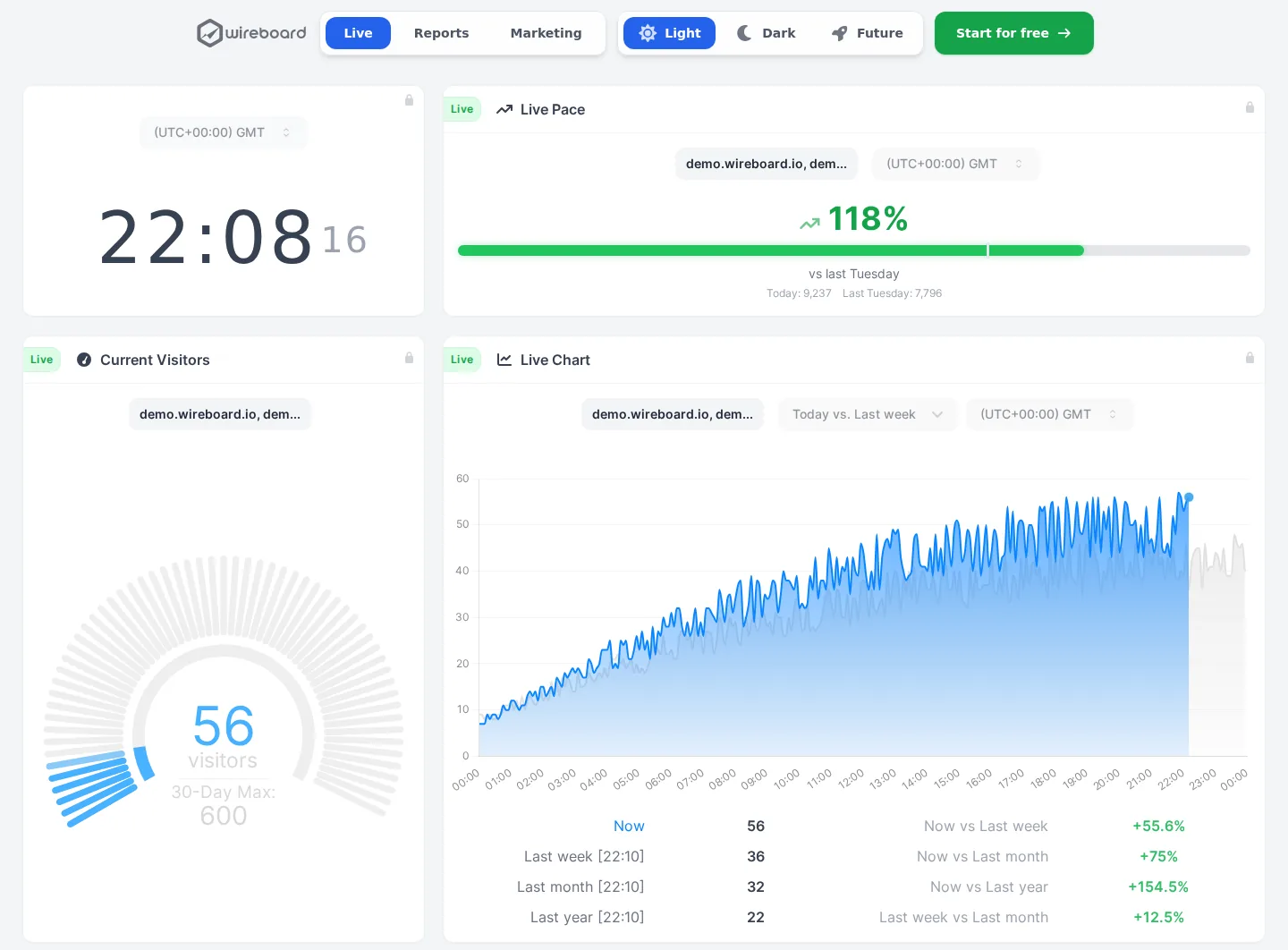
WireBoard (made by us) also has a free plan for 50,000 pageviews a month, on 2 sites, and its live widgets stream visitors, pages and sources as they happen. Every plan has an API, email reports, funnels and dashboards you build yourself, and paid plans start at $9 a month for 100,000 pageviews on 50 sites. It sets cookies by default, with an optional cookieless mode.
Umami is open source and cookieless, with a free cloud plan for 100,000 events on one site that includes funnels, journeys and retention. Heatmaps cost nothing if you host it yourself, but $200 a month on its cloud.
Clicky goes deeper, with a log of every visit, segments and an API, and adds heatmaps at $14.99 a month. It keeps data in the US.
Plausible is open source, sends email reports and keeps 3 years of data on Starter, from $9 a month for one site. It has no heatmaps.
For more options, see our lists of free plans and heatmap tools.
Where it falls short
This is a small product. The about page names two people, Mario and Julio, and much of the site shows it: the API is "coming soon", the plugins are beta zip files, and the help center answers most questions in a few lines, with nothing for developers.
The help center says analytics data is deleted after 12 months, so year-on-year comparisons are out unless you export first.
The documents disagree with each other and with the product. The marketing says no cookies, while the privacy policy says cookies by default. The terms and the policy describe session recordings that the feature list does not include. The pricing table offers teams on the free plan, while a help article says teams need a paid plan. The help center mentions "a dedicated security team that monitors our systems 24/7", while the about page lists two people. Ask Overtracking before you count on anything you cannot see in the app.
How it compares
WireBoard's free plan also covers 50,000 pageviews (on 2 sites), and Umami's covers 100,000 events on one. Clicky has a deeper feature set and heatmaps at $14.99 a month, but keeps data in the US.
- Free plan
- Up to 50k pageviews
- Cookieless
- Optional
- Open source
- No
- EU hosting
- Yes
- Free plan
- Up to 100k events
- Cookieless
- Yes
- Open source
- Yes
- EU hosting
- Your choice
- Free plan
- Self-hosted only
- Cookieless
- Yes
- Open source
- Yes
- EU hosting
- Yes
- Free plan
- Up to 3,000 pageviews a day
- Cookieless
- Yes
- Open source
- No
- EU hosting
- No
Overtracking (this review)
Starts at Free
3.8out of 5
- Free plan
- Up to 50k pageviews
- Cookieless
- Yes
- Open source
- No
- EU hosting
- Yes
- Free plan
- 5 sites, 30 days of data
- Cookieless
- Yes
- Open source
- No
- EU hosting
- Yes




Made by us

WireBoard
See your traffic as it happens, on live dashboards you build yourself. Nearly every feature is on the free plan.
- Visitors, sources and events streamed live
- Several sites in one view, on 60+ widgets
- Events, goals, funnels and revenue on every plan
- Free for 2 sites, $9 a month for 50
- Data processed in Germany and Finland
Questions
Does Overtracking need a cookie banner?
Overtracking says it does not: its homepage promises "no cookies, no banners" and its FAQ says it "does not use cookies of any kind". The tracking script on its own site set no cookies when we checked in October 2026. But its privacy policy still says it uses its own cookies by default, and its Core Web Vitals script writes a counter to the browser's local storage. Check your own setup, and the law where you operate.
Is Overtracking free?
Yes. The free plan covers up to 50,000 pageviews a month on unlimited websites, with goals, the live view and CSV or PDF exports, and needs no card. Heatmaps, Core Web Vitals and error tracking need a paid plan, from €6.95 a month for 100,000 pageviews. The sign-up page also offers a 7-day trial of the paid features.
How long does Overtracking keep my data?
Its help center says analytics data is deleted automatically after 12 months, and no plan offers longer. If you want year-on-year comparisons, export your reports to CSV or PDF before the oldest months go, or choose a tool that keeps several years of history.
Does Overtracking record sessions?
Its pricing and feature pages list heatmaps but not session recordings, although its terms and privacy policy still describe recording visitor sessions. The Sessions report is a table of visits with their country, city, device, browser and last activity, not a replay. If you need recordings, choose a tool that lists them as a feature you can buy.
Where is Overtracking's data stored?
Its privacy policy says data is stored on OVH Cloud servers in France, with backups at Backblaze in the EU, and "exclusively on servers located within the European Union". The company is Fueled by Smart Work SL, in Madrid. When we checked, the address the tracking script sends data to was on a network registered to Cubepath Inc., a hosting company the policy does not name.
Can I import Google Analytics data into Overtracking?
No. Overtracking's help center describes no import from Google Analytics or any other tool, so your charts start on the day you add the script. Keep access to your old Google Analytics property, or export the reports you need, before you switch.
Overtracking or Plausible?
Both are cookieless and keep data in the EU. Overtracking is free up to 50,000 pageviews on unlimited sites, and adds heatmaps, Core Web Vitals and error tracking from €6.95 a month. Plausible starts at $9 a month for one site, but it is open source, sends email reports, keeps 3 years of data on Starter and explains how it counts visitors.
Does Overtracking have an API?
Not yet. Its pricing table lists "API access (Coming Soon)" without a date. Until it arrives, the only way to get data out is the CSV or PDF download from the dashboard, and there are no email reports either. If you need to feed figures into another tool or a client report automatically, pick a tool that has an API today.
About this review
First published on . Facts and prices checked on against Overtracking’s own site.
Analytics Alternative is run by SwissOps, which also makes WireBoard, one of the tools on this site. WireBoard is scored on the same seven criteria as every other tool. How we review
Where the facts come from:
- overtracking.com
- overtracking.com/documentation
- overtracking.com/features/tracking
- overtracking.com/privacy-policy
- overtracking.com/terms-of-service
- overtracking.com/about
- overtracking.com/features/heatmaps
- overtracking.com/integrations/woocommerce
- overtracking.com/integrations/prestashop
- overtracking.com/legal-notice
- app.overtracking.com/register.php
Spotted something out of date? Tell us.