
Mixpanel
Event-based product analytics from San Francisco
A deep toolkit for following what people do on a site or in an app (funnels, retention, cohorts, session replay), free up to 1 million events a month. It sets a tracking cookie by default and only pays off once someone plans which events to send.
- Free up to 1M events a month
- Funnels, retention and replay
- EU data residency
- Sets a cookie by default
We make WireBoard, one of the tools we review. It is scored on the same criteria as every other tool. How we review
Who it suits
A good fit if
- You run a web app, a SaaS product or a shop and want to see which steps people complete, where they drop off and who comes back.
- You want funnels, retention and session replay in one tool, free up to 1 million events a month.
- Someone on your team can own a list of events and send a user ID when people log in.
Look elsewhere if
- You want a simple traffic dashboard: every report is built from events and users, not pageview summaries.
- You want to run without a consent banner: the JavaScript library sets a cookie by default.
- You expect more than 20 million events a month on a fixed budget: above that, Mixpanel quotes a price.
Scores
Above average on features, reporting, pricing and design. Below average on privacy and ease of use.
- Mixpanel
- Average of the 18 tools we reviewed
Every tool is scored from 0 to 5 on the same seven criteria, and the overall score is their average. How we score
Why these scores
- Features5.0, average 4.1
- Funnels, retention, flows, cohorts, cart analysis, session replay, heatmaps and experiments, with APIs and warehouse connectors.
- Reporting5.0, average 4.1
- Reports you build yourself, split by any property, on boards emailed or sent to Slack on a schedule, with data pipelines to a warehouse as an add-on.
- Pricing4.5, average 3.6
- Public prices and a free plan of 1 million events a month, but the next step costs $140 a month on monthly billing.
- Design4.5, average 3.9
- Polished, with boards that mix charts, text, images and video, and a dark mode, though the report builders are dense for newcomers.
- Real-time data3.5, average 3.2
- The Events view streams incoming events with all their properties, but it is a raw feed rather than a live visitor dashboard.
- Privacy2.5, average 3.2
- A 365-day cookie with a user ID is set by default, though Mixpanel says it does not store IP addresses and offers EU data residency on every plan.
- Ease of use3.0, average 3.8
- A snippet gets data flowing in minutes, but useful reports depend on planning events and identifying users at log-in.
Key facts
A generous free plan and EU data residency on every plan. The catch: a cookie and a user ID by default, so plan for consent.
- Price
- Free up to 1 million events a month. Growth costs $140 a month at 1.5 million (monthly billing)
- Free plan
- 1 million events, unlimited seats, 10,000 session replays a month, 5 saved reports per seat
- Session replay and heatmaps
- On every plan. Replays kept 30 days, or 7 to 365 days on Enterprise
- Cookies
- A first-party cookie with a user ID, kept 365 days by default. localStorage is an option
- IP addresses
- Used to add location, then not stored, says Mixpanel
- Open source
- No
- Data stored in
- The US by default. The EU (Netherlands) if you choose it when creating a project, on every plan
- Company based in
- United States (San Francisco)
- Live view
- Events view streaming incoming events as they arrive
- Data kept for
- Events deleted after 2 years by default. Only Enterprise can change that
- Billing
- Monthly, or yearly for about 29% less
From Mixpanel’s own site, checked on .
Pricing
Free up to 1 million events a month. Past that, Growth starts at $140 a month, or $100 billed yearly.
Freeup to 1 million events a month, with funnels, retention and session replay
| Events a month | Relative price | Monthly | Yearly |
|---|---|---|---|
| 1M | Free | Free | |
| 1.5M | $140 | $1,200 | |
| 2M | $259 | $2,220 | |
| 3M | $378 | $3,240 | |
| 5M | $613 | $5,254 | |
| 10M | $1,176 | $10,080 | |
| 15M | $1,722 | $14,760 | |
| 20M | $2,289 | $19,620 |
Prices are for monthly billing. Billed yearly, each level costs about 29% less ($100 a month at 1.5 million events). Above 20 million events a month, and on Enterprise, Mixpanel quotes a price.
Our review
What you get
Mixpanel is product analytics. Instead of adding up pageviews, it records events (a sign-up, a search, a purchase) tied to a user, and lets you ask questions about them. Insights charts any event over time, Funnels shows where people drop out of a series of steps, Retention shows who comes back, and Flows maps the paths people take before or after an action. Cohorts group users by what they did, and every report can be split by any property you send.
Session replay and heatmaps come on every plan, Free included, so you can go from a drop in a funnel to recordings of the people who left. Mixpanel also lists experiments, feature flags, cart analysis, web analytics and campaign reporting on all plans, along with an AI agent and an MCP server for asking questions from other tools. Group analytics, which counts companies instead of people, is a paid add-on, and so are data pipelines to a warehouse.
Who it is for
Mixpanel fits teams that run a web app, a SaaS product, a marketplace or a mobile app and want to know which steps people complete, where they drop off and who comes back. It works best when people log in, so their events join up in one profile across devices, and when someone owns the list of events.
It is a poorer fit for content sites. Page views count as events, so a busy blog uses up the free million quickly, and the reports answer product questions rather than "which articles did well this week?". If you mainly want traffic and sources on one screen, a web analytics tool is simpler: see our free shortlist. The product analytics shortlist compares Mixpanel with the tools it competes with.
Setting it up
Data can arrive within minutes. Mixpanel offers client SDKs for JavaScript, iOS (Swift and Objective-C), Android, React Native, Flutter and Unity, server SDKs for Python, Node.js, PHP, Go and Java, an HTTP API and a Google Tag Manager template. It also takes data from Segment and RudderStack, and loads it straight from Snowflake or BigQuery. Mixpanel itself recommends tracking as much as you can from your servers, because ad blockers stop some browser events.
Since version 2.60.0 the JavaScript library can autocapture page views, clicks, dead and rage clicks, scrolls, inputs and form submissions. You switch that on yourself, and it records that someone typed, not what they typed. Session replay and heatmaps are configured separately.
The real work comes after. Useful funnels need a list of named events and properties, and following one person across devices means calling identify when they sign up or log in, and reset when they log out. Reports only cover the events you send, so someone has to own that plan. A first funnel can be ready the same day; a reliable set of reports takes a few weeks of tracking and clean-up.
Reports and dashboards
Day to day, you work on boards. A board mixes reports (Insights, Funnels, Flows, Retention) with text, images and videos, up to four cards per row. Admins can pin a board for the whole project, and TV mode shows it on a big screen, refreshing every 10 minutes. A subscription sends a snapshot by email or Slack every day, week or month, though only the top 8 reports on the board go out.
Each report is built in a query panel. You pick events or metrics, filter by any property, and break the results down by country, device, plan or anything else you send. Funnels show conversion between steps within a time window you set, Retention can be cut by cohort, and Flows shows the common paths around an event. Saved cohorts (on paid plans) work as filters in every report.
To check your tracking, the Events view shows a feed of incoming events with all their properties. It is a debugging tool rather than a live visitor dashboard. Data leaves Mixpanel through the ingestion and export API on every plan, the query API and warehouse connectors from Growth, and data pipelines as a paid add-on.
Privacy and your data
By default the JavaScript library keeps a user ID and other properties in a first-party cookie that lasts 365 days and works across subdomains. You can switch to localStorage or shorten the cookie's life, but either way it is a persistent identifier, which in most of Europe means asking for consent. The SDKs have opt-out methods, and can start with every visitor opted out until you call opt-in, so you can wire them to a consent banner.
Mixpanel says it does not store IP addresses: it uses them to add country and city when data arrives, and you can turn that off. By default, data is stored in the US on Google Cloud. EU data residency is available on every plan at no extra cost. You pick it when you create a project, and Mixpanel says EU data stays in its Netherlands data centre. A project created in the wrong region cannot be moved, and Mixpanel warns that data sent through a customer data platform may leave the EU unless that platform uses the EU endpoint.
Events are deleted after 2 years by default, and only Enterprise can change that. Session replays are kept 30 days on Free and Growth, and 7 to 365 days on Enterprise. For transfers out of the EU, Mixpanel says it uses standard contractual clauses. Whether you need a consent banner depends on the law where you operate.
Pricing in practice
A small site or a young app pays nothing. The Free plan covers up to 1 million events a month across all projects, with unlimited seats, 10,000 session replays, heatmaps, experiments for up to 1,000 monthly users and 10 active feature flags. Its limits sit in the details: 5 saved reports per seat, cohorts you cannot save, and no query API or warehouse connectors. A SaaS product with 3,000 active users who each trigger 200 events a month (600,000 events) stays free.
A growing product moves to Growth, which keeps the first million events free and charges by volume up to 20 million a month. On monthly billing that is $140 a month at 1.5 million events, $259 at 2 million, $613 at 5 million, $1,176 at 10 million and $2,289 at 20 million. Yearly billing costs about 29% less: $100 a month at 1.5 million, $438 at 5 million and $1,635 at 20 million. Growth adds unlimited saved reports and cohorts, 20,000 session replays a month, alerts and the query API. Group analytics and data pipelines cost extra, at prices Mixpanel does not list.
A large organisation above 20 million events a month, or one that needs custom data retention, anomaly detection, HIPAA tools or a dedicated team, gets an Enterprise quote. Startups founded less than 5 years ago with up to $8 million in funding can get their first year free.
Watch the event count: events imported from a warehouse use the allowance too. Our web analytics pricing comparison shows what other tools charge.
Alternatives to Mixpanel
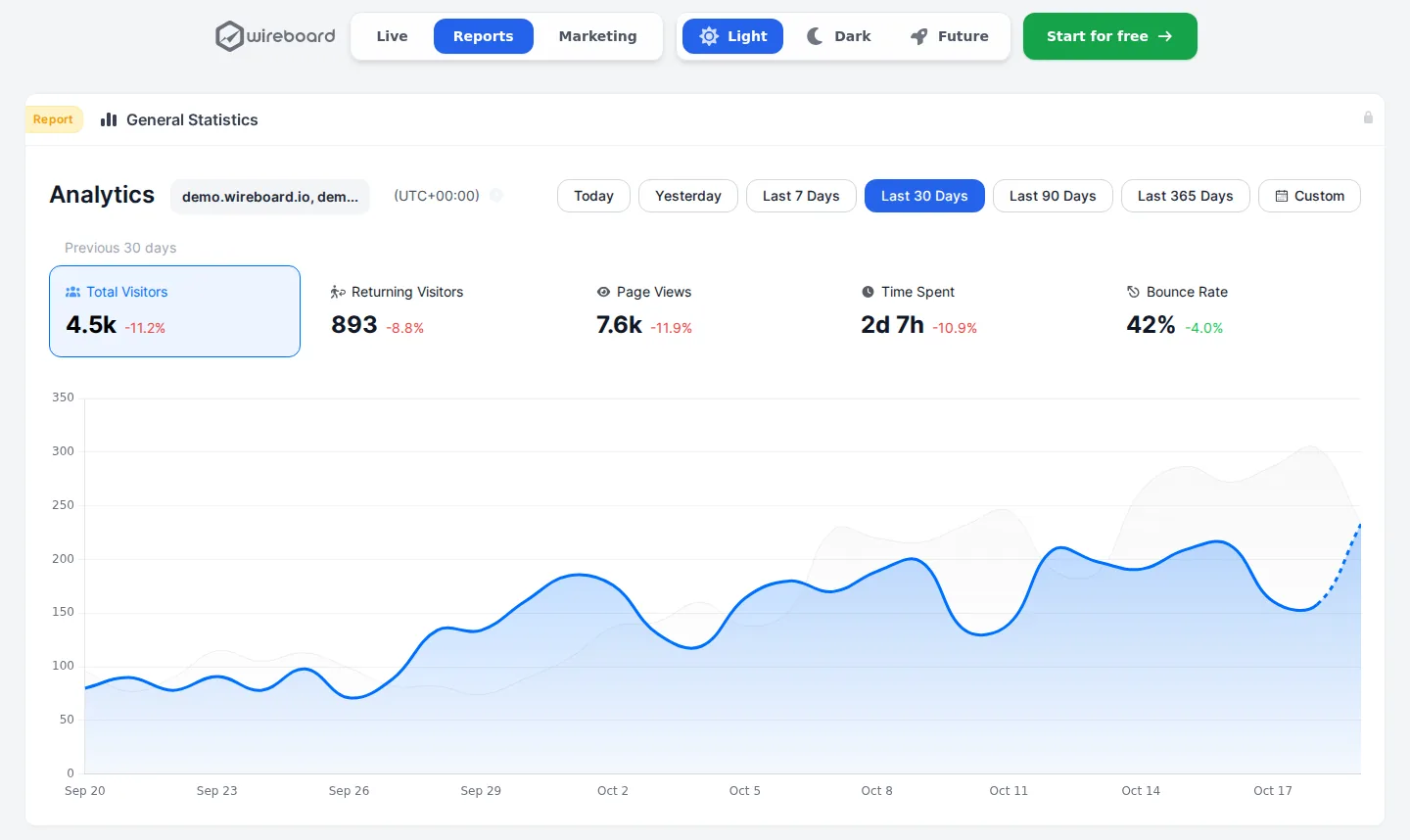
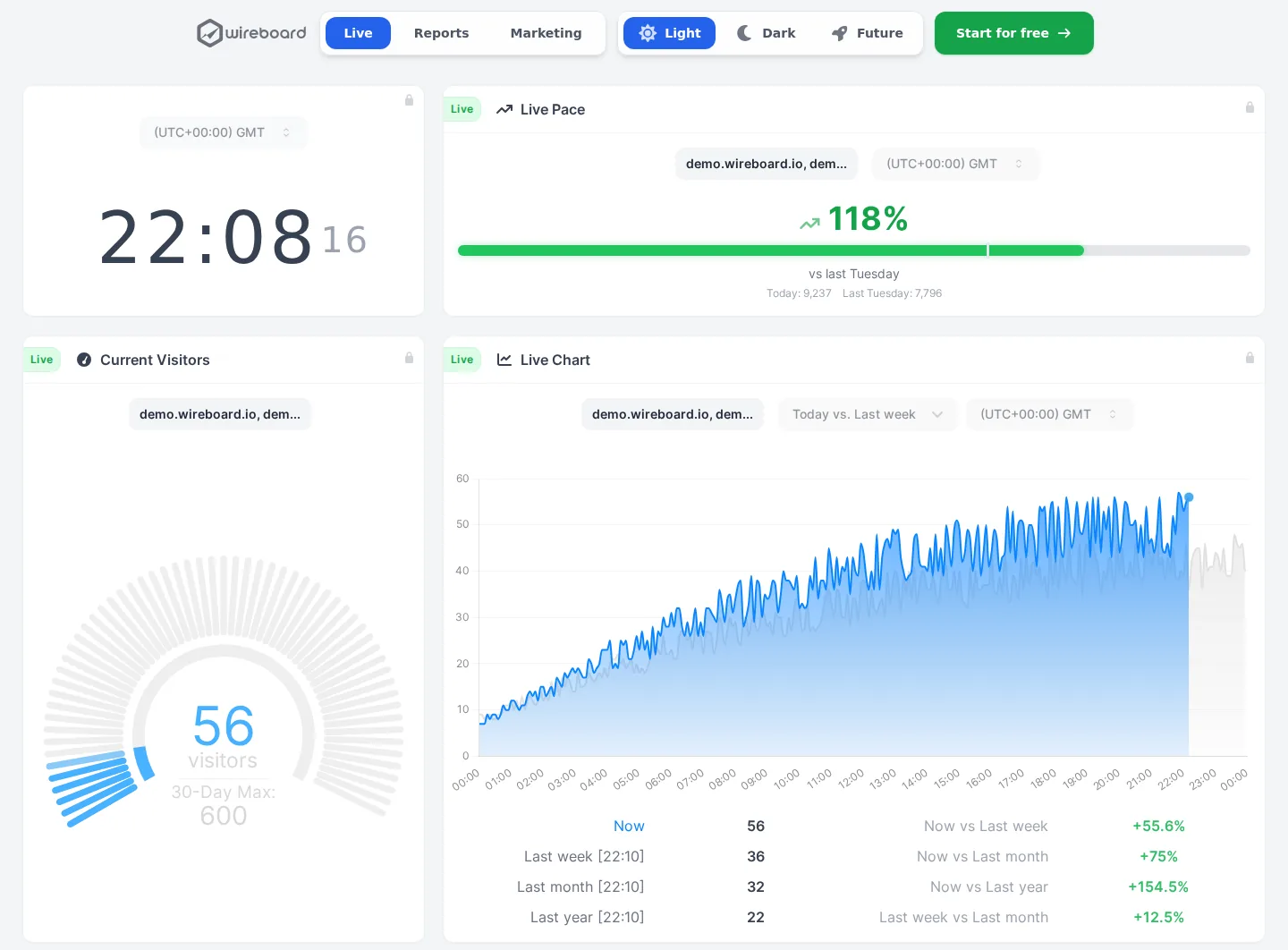
WireBoard (made by us) fits if what you need is a live picture of your site rather than user-level analysis. It has events, goals, funnels and revenue on every plan, and dashboards that update within seconds and can add up several sites. It is free for 50,000 pageviews a month on 2 sites, then $9 a month for 100,000 pageviews on 50 sites.
Heap answers the same questions but records every click from one snippet, so you can define events after the fact. Only its free plan has a public price.
Matomo suits a team that wants funnels, cohorts and heatmaps in open-source software it can host itself, or on Matomo's cloud from $26 a month.
Woopra builds a profile for every person and triggers actions in other tools, from $999 a month.
Where it falls short
Mixpanel is not a traffic dashboard first. It has a web analytics template and campaign reports, but every view is built from events, and you need to know which ones you track before the numbers mean much.
The price curve is steep. Going from free to $140 a month is a big jump for a site that just passed 1 million events, and page views count as events, so a busy content site uses up the allowance fast. Session replays beyond the 20,000 included in Growth, group analytics and data pipelines all cost more, and Mixpanel lists no price for the add-ons.
Privacy needs work on your side: a cookie and a user ID are on by default, so plan for a consent banner in the EU. Only Enterprise can keep events longer than 2 years. And the Events view is a raw feed for checking your tracking, not a picture of who is on the site right now.
How it compares
Heap covers similar ground but publishes no paid prices, Woopra builds a profile per person from $999 a month, and Matomo can run on your own server.
- Free plan
- Up to 50k pageviews
- Cookieless
- Optional
- Open source
- No
- EU hosting
- Yes
- Free plan
- Up to 100k events
- Cookieless
- Yes
- Open source
- Yes
- EU hosting
- Your choice
Mixpanel (this review)
Starts at Free
4.0out of 5
- Free plan
- Up to 1M events a month
- Cookieless
- No
- Open source
- No
- EU hosting
- Your choice
- Free plan
- Self-hosted only
- Cookieless
- Optional
- Open source
- Yes
- EU hosting
- Yes
- Free plan
- Yes
- Cookieless
- No
- Open source
- No
- EU hosting
- No
- Free plan
- Up to 10k sessions a month
- Cookieless
- No
- Open source
- No
- EU hosting
- Your choice
- Free plan
- No
- Cookieless
- No
- Open source
- No
- EU hosting
- No





Made by us

WireBoard
See your traffic as it happens, on live dashboards you build yourself. Nearly every feature is on the free plan.
- Visitors, sources and events streamed live
- Several sites in one view, on 60+ widgets
- Events, goals, funnels and revenue on every plan
- Free for 2 sites, $9 a month for 50
- Data processed in Germany and Finland
Questions
Is Mixpanel free?
Yes. The Free plan covers up to 1 million events a month with unlimited seats, funnels, retention, flows, heatmaps and 10,000 session replays. It caps saved reports at 5 per seat and does not let you save cohorts. Mixpanel also gives the first year free to startups founded less than 5 years ago with up to $8 million in funding.
How much does Mixpanel cost?
Nothing up to 1 million events a month. Growth keeps the first million free and then charges by volume, at $140 a month for 1.5 million events, $613 for 5 million and $2,289 for 20 million on monthly billing. Yearly billing costs about 29% less, so $100 a month at 1.5 million. Above 20 million events, and for Enterprise, Mixpanel quotes a price.
Does Mixpanel need a cookie banner?
In the EU, most likely. By default the JavaScript library keeps a user ID and other properties in a first-party cookie that lasts 365 days. Its SDKs have opt-out methods you can connect to a consent tool, and can start with every visitor opted out. Whether you need consent also depends on the law where you operate.
What counts as an event in Mixpanel?
Each action you send to Mixpanel, such as a page view, a sign-up, a search or a purchase. Events are counted across all your projects each month, and events imported from a data warehouse count too. If you track page views, every page view uses up part of the allowance.
Can Mixpanel keep my data in the EU?
Yes, on every plan. You choose EU data residency when you create a project, and Mixpanel says EU data stays in its Netherlands data centre. An existing project cannot be moved; you would create a new one and migrate the data yourself. Data sent through a customer data platform only stays in the EU if that platform uses Mixpanel's EU endpoint.
Does Mixpanel have session replay and heatmaps?
Yes, on every plan. The Free plan includes 10,000 session replays a month, kept for 30 days, plus heatmaps and clickmaps. Growth includes 20,000 replays a month in its base price, with up to 500,000 available. You switch recording on in the SDK and choose the share of sessions to record.
Mixpanel or Google Analytics?
Google Analytics is free and built around traffic, campaigns and ads, with funnels and cohorts tucked away in Explorations. Mixpanel is built around users and events, with funnels, retention, flows and session replay as everyday reports, free up to 1 million events a month. Mixpanel keeps 2 years of events by default, where the free Google Analytics keeps exploration data for 14 months at most. Both set cookies by default.
Mixpanel or Heap?
Both follow users through funnels, journeys and retention. Mixpanel publishes its prices and includes session replay and heatmaps on the free plan. Heap records every click by default from one snippet, while Mixpanel's autocapture is something you switch on, and Heap's paid plans are priced by sales.
About this review
First published on . Facts and prices checked on against Mixpanel’s own site.
Analytics Alternative is run by SwissOps, which also makes WireBoard, one of the tools on this site. WireBoard is scored on the same seven criteria as every other tool. How we review
Where the facts come from:
- mixpanel.com/pricing
- docs.mixpanel.com/docs/tracking-methods/sdks/javascript
- docs.mixpanel.com/docs/tracking-methods/choosing-the-right-method
- docs.mixpanel.com/docs/privacy/protecting-user-data
- docs.mixpanel.com/docs/privacy/eu-residency
- docs.mixpanel.com/docs/privacy/gdpr-compliance
- docs.mixpanel.com/docs/debugging/overview
- docs.mixpanel.com/docs/boards
- mixpanel.com/legal/mixpanel-gdpr
Spotted something out of date? Tell us.